

Home
About Us
News
Storage & Expansion
GPU pooling for training and inference: how to assess JBOG and KV cache capacity

GPU pooling for training and inference: how to assess JBOG and KV cache capacity

By LR-LINK Technical Content Team 7 min read

GPU pooling should follow a workload diagnosis. JBOG can separate accelerator expansion from host refresh, but useful capacity depends on topology, scheduling and communication. Size KV cache from the model and traffic profile, and measure latency before selecting an offload tier. Additional host memory does not automatically extend GPU HBM.

Sources checked: 2026-11-26. KV figures are sizing calculations under stated assumptions, not before-and-after hardware offload measurements.

Workloads banner: Before adding GPUs, find the bottleneck.

AI-generated illustration of a generic cluster. It is not a shipping LR-LINK server or a validated GPU configuration.

What should GPU pooling evaluations measure in training and inference?

Training evaluations should start with iteration time and communication waits. Inference evaluations should start with request lengths, concurrency, cache capacity and latency. Compare GPU counts only within a defined workload and service target.

Retained tokens and concurrent sequences affect KV capacity. This article uses a full-attention example with 32 layers, eight KV heads, head dimension 128 and two bytes per element. These are disclosed sizing assumptions rather than a universal model configuration. NVIDIA's explanation of inference and KV sizing.

Workload Record first Question before hardware expansion
Distributed training Iteration time, communication waits, GPU memory and link load Is the constraint compute, communication or input?
Long-context inference Request length, concurrency, cache capacity, first-token and subsequent-token latency Is the service capacity-limited or delayed by transfers and queueing?
Multiple projects Queue time, quotas and assignment/reclaim time Could scheduling changes address the wait first?

How much KV cache does 16-way concurrency at 32K context require?

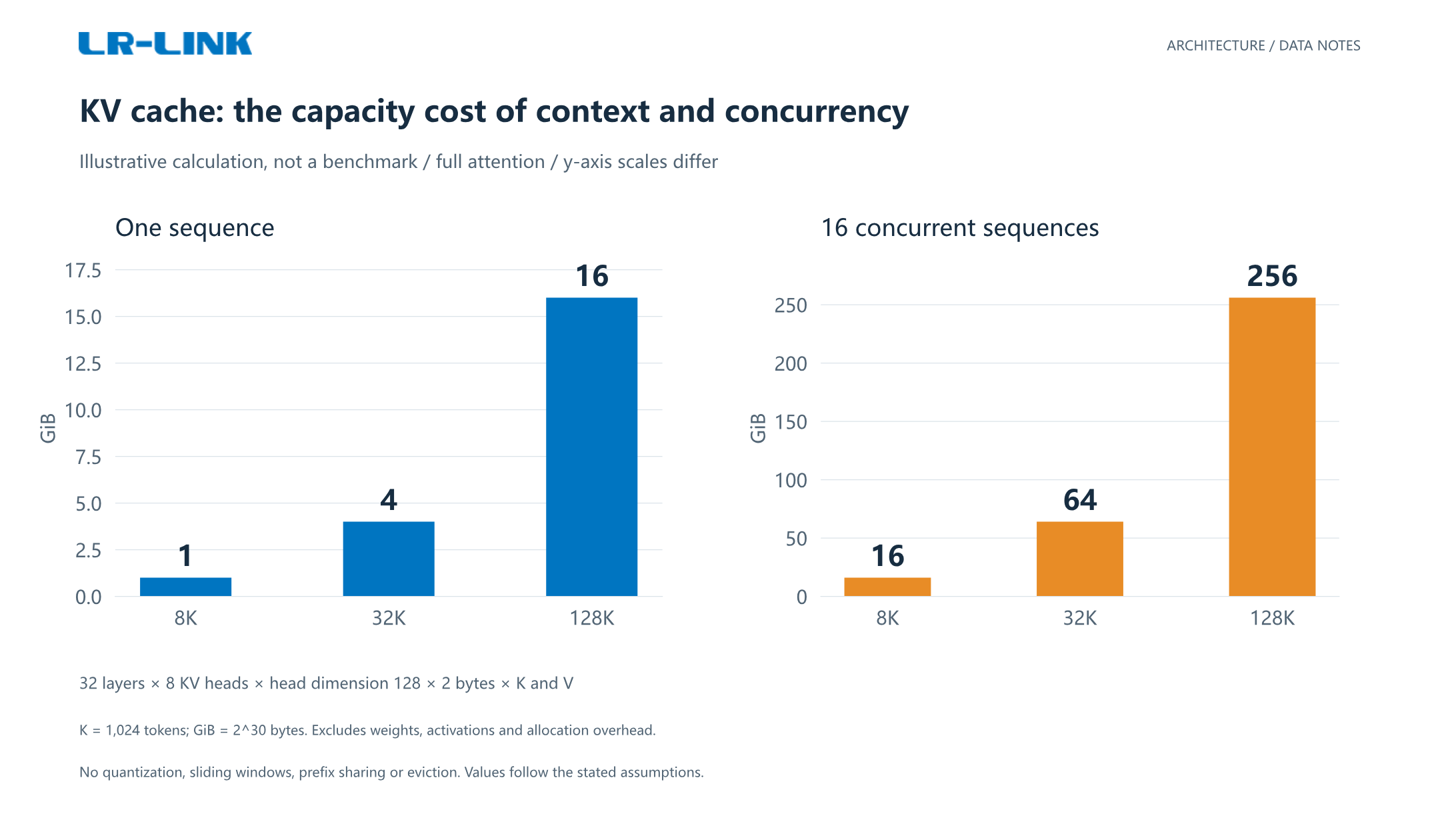
Under this article's assumptions, KV data requires 128 KiB per token. Sixteen sequences retaining 32K tokens each need 64 GiB. That is a cache sizing result, not total process memory or an observed saving from offloading.

The formula is 2 × layers × KV heads × head dimension × bytes per element × tokens × sequences. Substituting 32, 8, 128 and 2 bytes gives 1, 4 and 16 GiB per sequence at 8K, 32K and 128K. For grouped-query attention, use the actual KV head count rather than the query head count. Weights, activations and allocation overhead are additional.

Illustrative KV cache capacity at 8K, 32K and 128K context, for one and 16 sequences

Sizing example, not a model or hardware benchmark. Excludes weights, activations and allocation overhead. Does not model quantization, sliding windows, prefix sharing or eviction. K means 1,024 tokens; GiB means 2³⁰ bytes.

Retained context KV data for one sequence KV data for 16 sequences
8,192 tokens 1 GiB 16 GiB
32,768 tokens 4 GiB 64 GiB
131,072 tokens 16 GiB 256 GiB

What do teams ask before choosing JBOG or a cache offload tier?

Separate KV data size, host memory and GPU HBM before comparing offload implementations. A capacity calculation is reproducible; the reduction in resident GPU memory and the change in latency require measurements on the same configuration.

These answers use the 16-sequence, 32K sizing example. Versioned vLLM documentation describes offloading and retrieving completed cache blocks. It does not qualify arbitrary CXL hardware or establish that every active cache allocation can move out of GPU memory. vLLM KV offloading guide.

  1. Does 16-way inference at 32K context need 64 GiB of total GPU memory?

    The 64 GiB figure covers KV data under the stated 32-layer, eight-KV-head, 128-dimension, two-byte assumptions. It excludes weights, activations and allocation overhead. Quantization, prefix sharing, eviction and windowed attention can change the result. Use the actual model configuration and traffic distribution before turning this example into a memory purchase requirement.

  2. Does adding 256 GB of CXL capacity add 256 GB of HBM?

    No. Host memory expansion and GPU HBM are different resources. Even a 256 GB host-capacity addition needs an engine allocation and transfer path before a GPU workload can use it. Confirm placement, movement and workload behavior on the intended platform. Capacity alone does not establish access latency, useful cache residency or equivalent accelerator-memory performance.

  3. How much GPU memory does offloading actually save?

    There are no before-and-after offload measurements for this hardware combination in the supplied material. The 64 GiB example is a capacity calculation. Run the same model at 16-way concurrency and 32K context, then report resident KV, total GPU memory peaks and token latency with the same precision, cache state and prefix-reuse conditions.

Which training and operational conditions must a JBOG design qualify?

JBOG can separate accelerator expansion from a host refresh, but usable behavior depends on connectivity, ownership and scheduling. Include device assignment, reclaim and recovery in the acceptance plan rather than counting physical GPU slots alone.

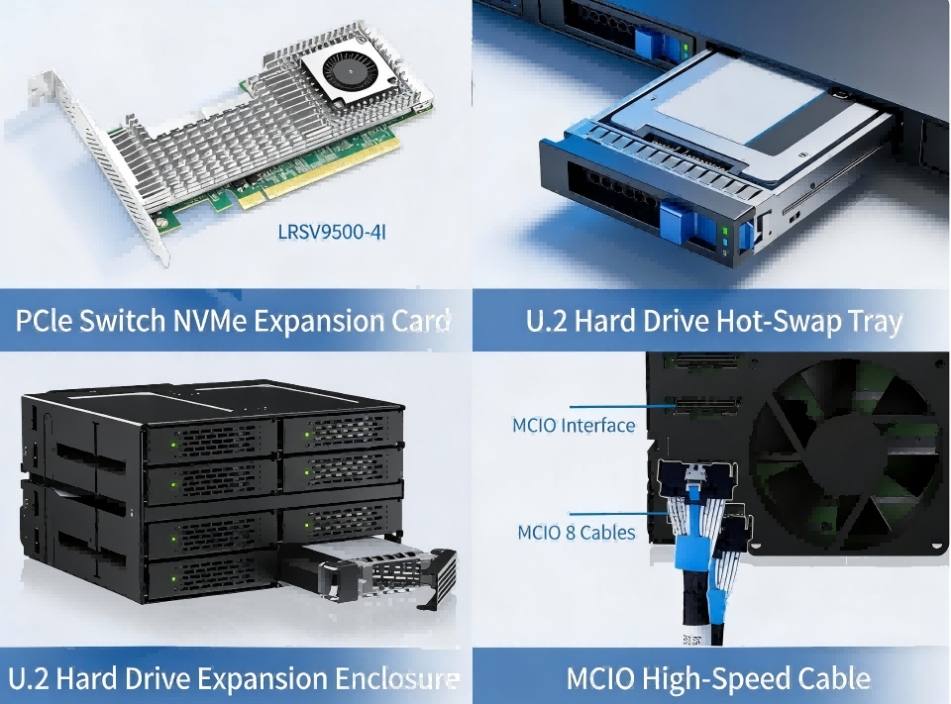
The concept diagram labels a 16-GPU configuration; it does not qualify that count or a P2P mode for every host and switch. The published LRSV9500-4I is a PCIe 5.0 x16 NVMe expansion product with four MCIO 8i interfaces, not evidence of a validated GPU switching solution. Product role, logical architecture.

  1. Training: hold model, precision, batch size and parallelization constant while comparing iteration and communication time.
  2. Scheduling: confirm ownership, drivers and isolation, including any restart required for reassignment.
  3. Operations: record fault isolation, replacement stock, recovery time, rack space and power requirements.

How should CXL and JBOF tiering be tested for inference cost?

First establish that the engine can use the added tier, then measure cache hits, transfers and service latency. Cost per token should use the total cost and valid output under the service target. More capacity alone does not establish a lower unit cost.

The vLLM guide describes completed blocks moving to larger, slower tiers and returning to the GPU on a hit. A CXL allocation path, NUMA placement and transfer costs need separate confirmation. Direct PCIe JBOF access and NVMe-oF storage also use different paths. The table defines measurements to collect; it does not invent offload results. Versioned implementation guide.

Before-and-after measure Conditions to hold constant How to interpret it
Peak GPU memory and actual KV residency Model, precision, concurrency and request distribution Report weights, KV and transfer buffers separately
First-token and subsequent-token latency Cache temperature and prefix reuse Report percentiles against the service limits
Valid token throughput and failures Duration and workload input Count only output meeting the service requirements
Inference cost Accounting period and included charges Divide total cost by valid output, including the added tier

Where can teams review GPU pooling use cases and prepare an assessment?

Visit the GPU pooling solution hub to compare training, memory and cloud-infrastructure paths. Bring the model and current topology so the discussion can address specific adapters, cables and qualification work.

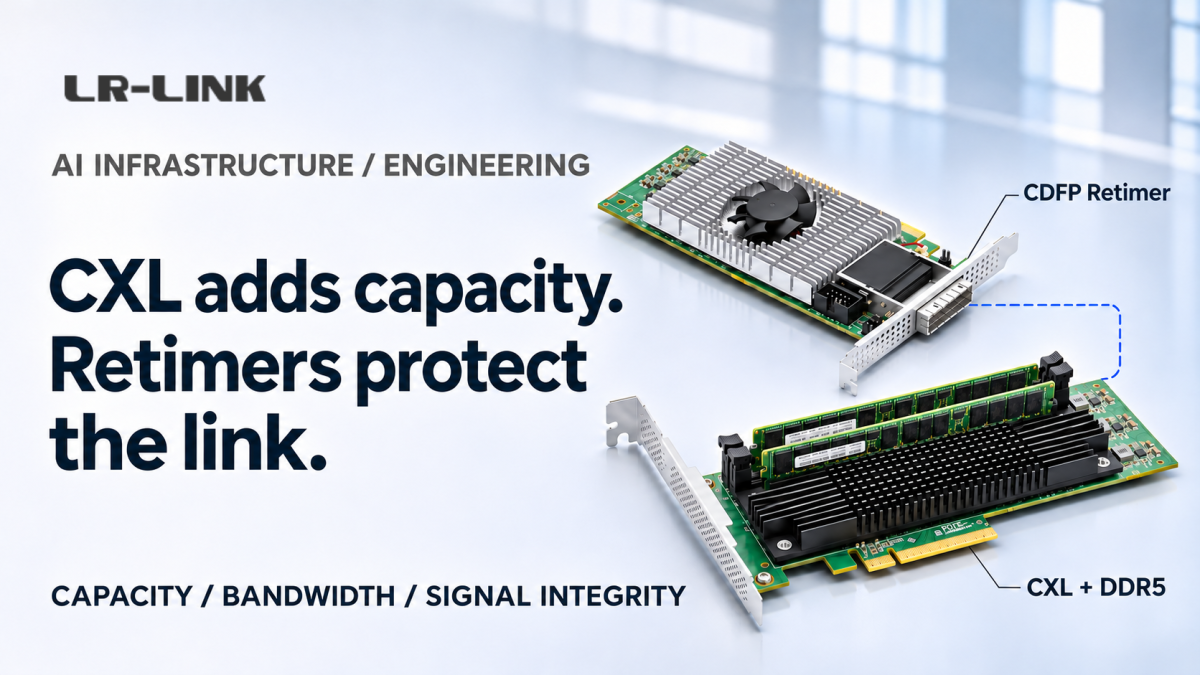
The hub contains use cases, the connection diagram and official material for the current CXL, CDFP retimer and MCIO expansion products. It supports configuration checks, rather than replacing measurements of the intended GPU, engine and traffic. The hub provides the architecture diagram and published product specifications.

  1. Compare the use cases and identify the principal constraint.
  2. Inspect the architecture and mark GPU, memory and storage paths.
  3. Prepare an architecture enquiry with model, concurrency, context length and latency targets.