2026-07-29
 For a home NAS: 2.5GbE. For a workstation editing 4K video over the network: 5GbE or 10GbE. For a general office PC: stick with 1GbE. Here is how we decided, and why the "faster is always better" instinct costs you more than it should.
Network speed is not a spec you maximize. It is a spec you match to your workload. Four typical scenarios cover most buyers:
Each scenario points to a different speed tier. The wrong choice either wastes money or creates a bottleneck you will feel within six months.
| Your Situation | Recommended Speed | Why | Representative Model |
|---|---|---|---|
| Home NAS, media streaming | 2.5GbE | 300 MB/s handles 4K streams and backups. Runs on existing Cat5e. | LRES2022PT |
| 4K/8K video editing workstation | 5GbE or 10GbE | 600 to 1,200 MB/s for real-time timeline scrubbing over the network. | LREC9811BT |
| Small business file server | 10GbE | Multiple simultaneous users need aggregate bandwidth that 1G cannot provide. | LREC9812BT |
| Home lab, virtualization | 2.5GbE or 10GbE | 2.5G for general lab traffic; 10G if you run iSCSI or NFS storage. | LRES1059PT |
| General office, web, email | 1GbE | No measurable benefit from upgrading. Keep the onboard NIC. | Onboard Intel I219-LM |
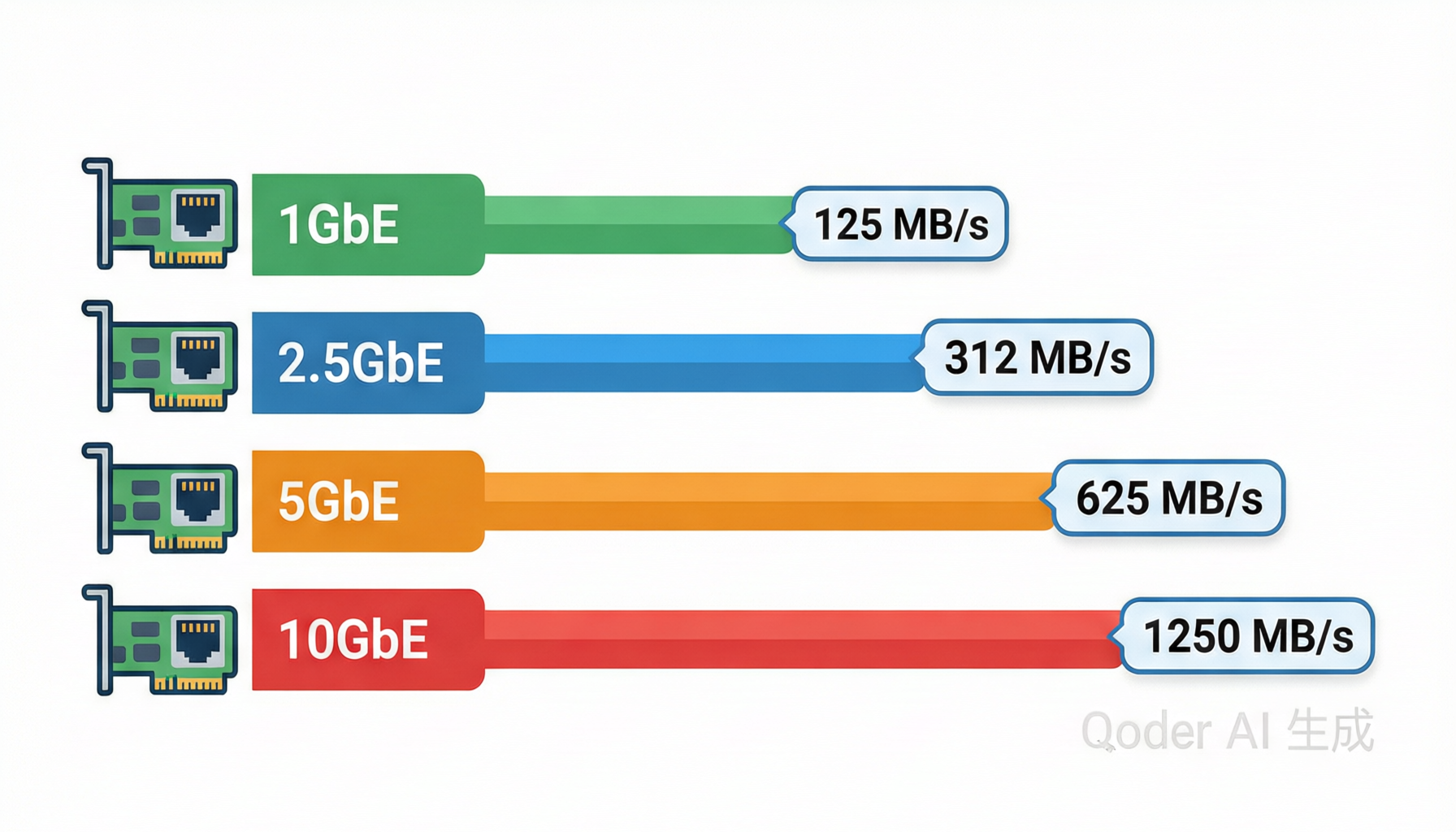
1GbE delivers 125 MB/s per direction, or about 121 MB/s in real-world file transfers after protocol overhead. For web browsing, email, video conferencing, and even 4K streaming (which needs about 25 MB/s), 1GbE is sufficient.
The LRES2045PT is a dual-port 1GbE RJ45 adapter based on the WX1860 controller. It fits in a PCIe x1 slot and costs a fraction of multi-gig alternatives. If your only complaint about 1GbE is that a large file "takes a while," the problem might be your storage, not your network. A 1GbE link saturates at about 121 MB/s. If your hard drive writes at 150 MB/s, the network is not your bottleneck. For more on slot bandwidth, see our PCIe lane guide.
When 1GbE stops working: simultaneous access from three or more workstations to a file server, backup windows that exceed your maintenance window, or any workflow that moves more than 50 GB per day on a regular basis.
2.5GbE delivers 312 MB/s per direction, about 303 MB/s real-world. That is 2.4 times the throughput of 1GbE, and it runs over existing Cat5e cabling at distances up to 100 meters (IEEE 802.3bz). No rewiring required.
The LRES2022PT uses the Realtek RTL8125BG controller in a PCIe x1 form factor. It auto-negotiates between 1G and 2.5G, so it works with your existing 1GbE switch ports and ramps up when you connect to a 2.5G-capable port. For a home NAS, this single upgrade eliminates the "why is my backup so slow" problem without touching your cabling infrastructure.
The LRES1059PT is another option, based on the Intel I226V controller in a PCIe x1 slot. Intel controllers offer better driver support on Linux and VMware ESXi, which matters if you run a home lab with Proxmox or ESXi.
When 2.5GbE stops working: you start editing 8K video files directly from your NAS, or you have more than five workstations simultaneously pulling large files from a server. At that point, the aggregate bandwidth demand exceeds what 2.5G can serve.
5GbE delivers 625 MB/s per direction, about 606 MB/s real-world. It sits between 2.5G and 10G, and its primary use case is a single workstation that needs faster access to network storage without the cost of a full 10GbE infrastructure.
The LRES1052PT is a quad-port 5GbE RJ45 adapter based on the Aquantia AQtion AQC111C controller. It fits in a PCIe x4 slot and gives a workstation four independent 5GbE connections. For a video editing workstation connected to a NAS over 5GbE, you get real-time 8K timeline playback without rendering proxies.
5GbE also runs over Cat5e cabling at distances up to 100 meters, same as 2.5GbE. The trade-off is that 5GbE switches are less common and more expensive than 2.5G switches. If your switch does not support 5G, the NIC auto-negotiates down to 2.5G or 1G.
When 5GbE stops making sense: you need more than 600 MB/s per workstation, or you need to connect multiple workstations at 5G simultaneously. At that point, the cost per port of 5GbE switches makes 10GbE a better investment.
10GbE delivers 1,250 MB/s per direction, about 1,212 MB/s real-world. It is the speed tier where network throughput matches or exceeds the speed of a single SATA SSD. The use case is not "faster downloads." It is multiple users, large datasets, or storage protocols that need sustained bandwidth.
The LREC9811BT is a single-port 10GBASE-T adapter based on the Intel X550 controller. It auto-negotiates between 1G, 2.5G, 5G, and 10G, making it a drop-in upgrade that works with your existing switch during the transition. The LREC9812BT adds a second port for link aggregation or separate storage and client networks.
10GBASE-T runs over Cat6 cabling at distances up to 55 meters, or Cat6a at 100 meters. If your building is wired with Cat5e, you are limited to 1G over those runs. This is the hidden cost of 10GbE: the cabling upgrade. For large file transfers over 10GbE, enabling jumbo frames (MTU 9000) reduces per-packet overhead and improves effective throughput by 15 to 20 percent.
When 10GbE is overkill: a single user with a single workstation and a single NAS. The storage device itself (a 2-bay NAS with spinning disks) cannot sustain more than 300 to 400 MB/s. The network would be faster than the disks.
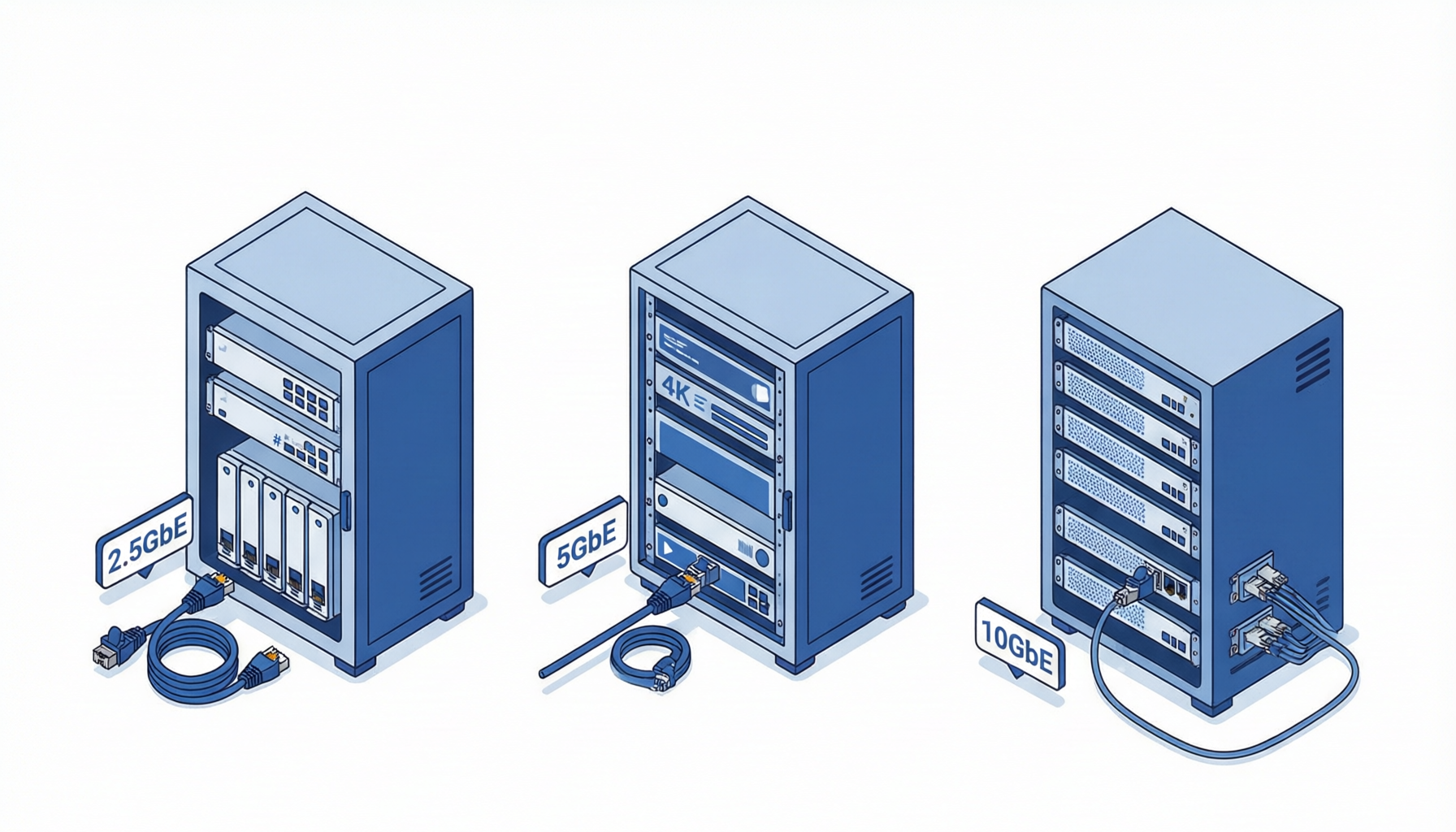
Budget pick (under $30): LRES2022PT -- 2.5GbE RJ45, PCIe x1, Realtek RTL8125BG. The cheapest way to break free from the 1G bottleneck. Runs on Cat5e.
Mid-range pick ($40 to $80): LREC9811BT -- 10GBASE-T RJ45, PCIe x4, Intel X550. Auto-negotiates 1G/2.5G/5G/10G. One card covers your current switch and your next upgrade.
Performance pick ($80 to $150): LREC9812BT -- Dual-port 10GBASE-T, PCIe x4, Intel X550. Two ports for link aggregation or separate storage and client networks.
Yes. 2.5GbE and 5GbE both run over Cat5e cabling at distances up to 100 meters, as defined by IEEE 802.3bz. 10GbE requires Cat6 (up to 55 meters) or Cat6a (up to 100 meters).
Yes. Multi-gig NICs auto-negotiate to the highest speed both ends support. A 10GbE NIC connected to a 1GbE switch port runs at 1GbE. You can upgrade the switch later without replacing the NIC.
If you transfer files larger than 10 GB regularly, yes. A 1GbE link maxes out at about 121 MB/s. A 2.5GbE link delivers about 303 MB/s. A 20 GB backup takes 165 seconds on 1G and 66 seconds on 2.5G. The difference is noticeable.
Only if you want 2.5G speeds end-to-end. A 2.5GbE NIC connected to a 1GbE switch port runs at 1GbE. To get the full 2.5G speed, both the NIC and the switch port must support 2.5GbE. Many newer consumer routers and switches include at least one 2.5G port.